|
|
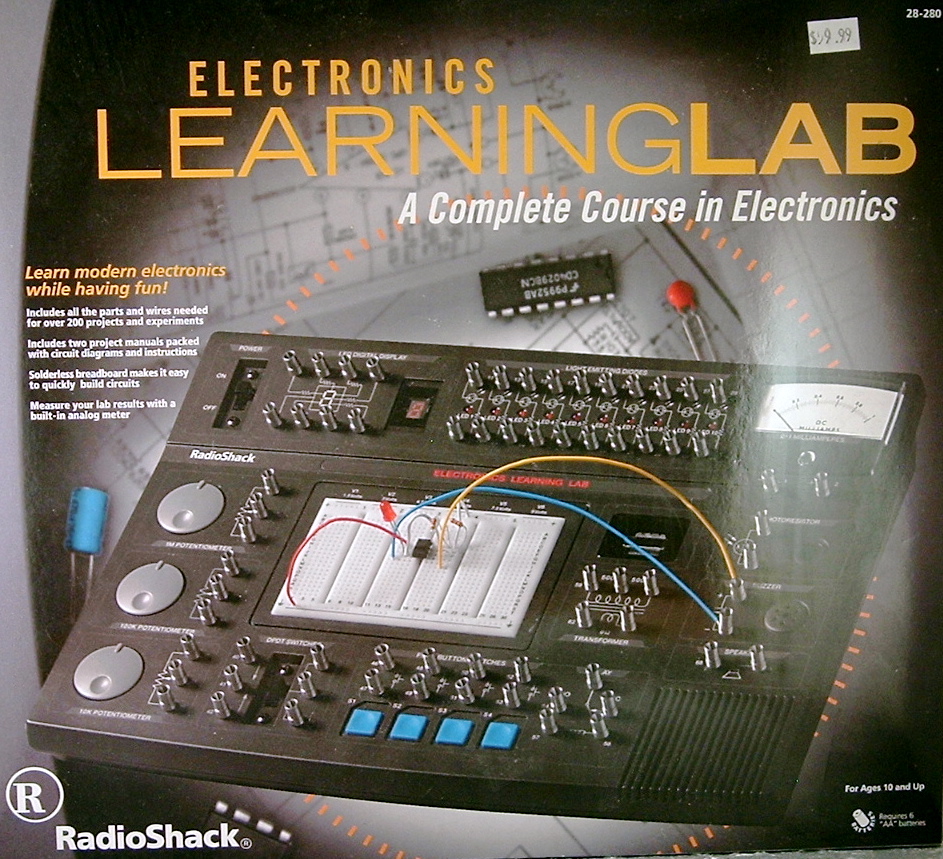
Above:
left. The
Radio Shack
Electronics Learning Lab box makes no mention that
it's also a digital
logic course. Apart from that, it accurately
portrays the lab.
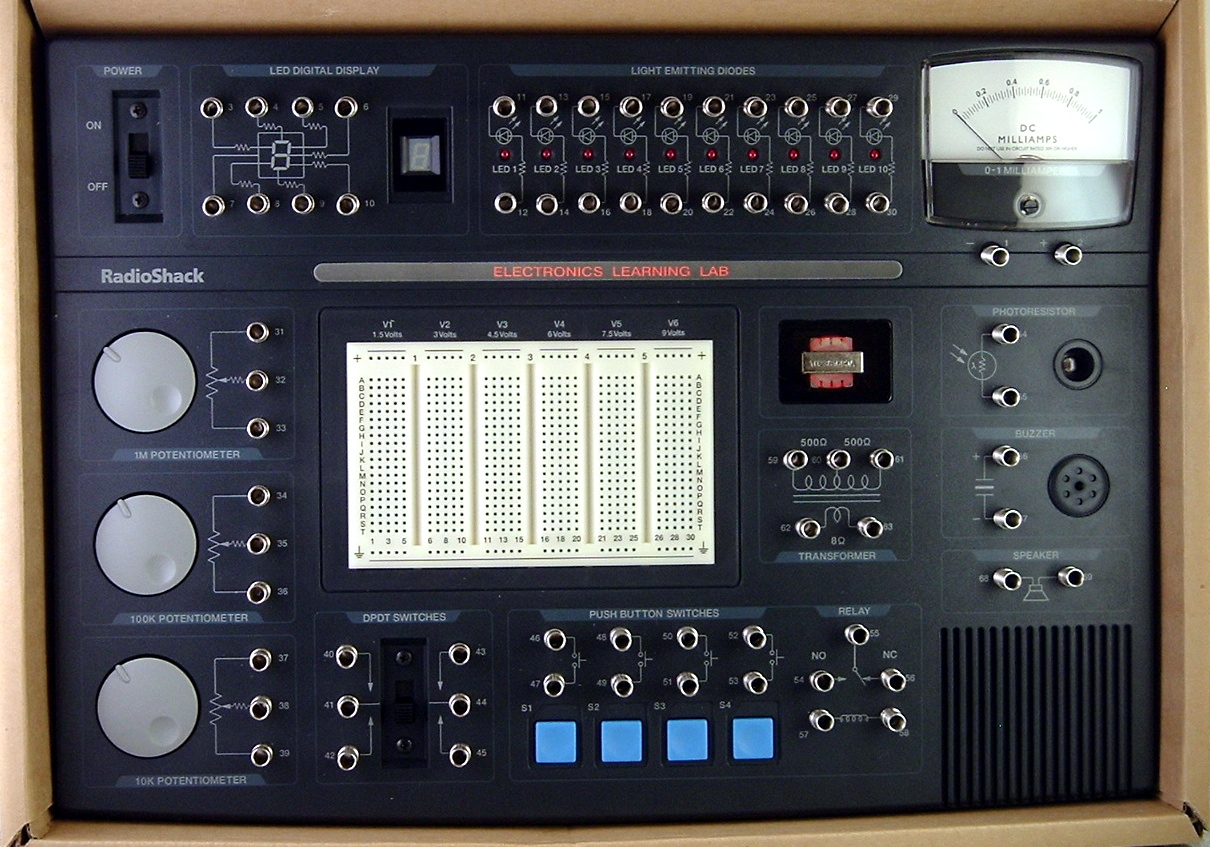
middle.
The
lab
console is a dazzling bit of work. It comes packed
in
this sturdy cardboard box, which can also be used
as a tray for parts
while working. The console is a huge incentive to
learning electronics,
and functions as a control panel.
At
the
top left is a slide switch for power, provided by 6
AA
batteries. Along the top are two rows of spring
terminals, used to
connect to an 8 segment LED, 10 individual LEDs, and
an analog meter
(0-1 DC milliamps) which can be configured to read
various quantities.
Down the left side are three very smoothly operating
potentiometers,
which are used as volume controls and to smoothly
increase voltage.
Along the bottom (front) is a DPDT (double pole,
double throw) switch,
four blue momentary contact pushbuttons, Next
are connections for
a relay (not shown) and a transformer (shown through
a window). Down
the right side, under the meter, are a photoresistor
(photocell),
buzzer, and speaker.
I've
saved
the best for last. That white rectangle in the
middle is a
breadboard, which is the way pros layout and test a
circuit. This means
you can insert the resistors, transistors, and other
included parts
into the holes, along with jumper wires to connect
them. The board is
already set up with contacts providing six different
votlages for
various experiments.
What
kind
of parts do you get? How about dozens of resistors,
about 30
capacitors, 5 diodes, red and green LEDs (in
addition to those already
mounted in the console), a ceramic earphone, 6
transistors, and
16 integrated circuits, all packed in anti- static
foam in three
separate plastic boxes. Not to mention two 96
page lab workbooks.
If this doesn't make you want to learn electronics,
nothing will.
right.
Forrest
Mims III, Super genius, to paraphrase
Wile
E. Coyote.
|
|
Is
This
Dexter's
Lab?
$60
to
learn
electronics? It costs at
least $500 at a tech school, so how well does the
Shack's learning lab
stack up? Pretty well, and for a number of
reasons. This kit was
designed
from the ground up by Radio Shack's wunderkind
designer, Forrest Mims
III,
who also writes their project books and has
developed a few other kits.
The plus of this kit is that Forrest takes a
hands-on approach using
the
same materials you'd use if you were a pro
designer or a hobbyist with
a
fat wallet.
That
means
a breadboard you can insert parts into, and a
power supply
with six different voltage outputs, precut and
stripped wire jumpers to
connect the parts with, and a control console with
switches, variable
controls, lights (LEDs), a 7-segment LED readout,
an electonic meter, a
buzzer, speaker, and photocell to build all sorts
of electronic
projects.
What
sort
of parts would you plug into the breadboard? How
about 19
integrated circuits, 6 transistors, four diodes,
about 30 capacitors,
red and green LEDs, about fifty resistors, and a
few more miscellaneous
parts? Price just one integrated circuit at Radio
Shack and you'll see
what a good deal this kit is. Add a 96 page
project book, and you've
got a very decent electronics lab.
But
none
of that hints at what makes Forrest's design so
unique.
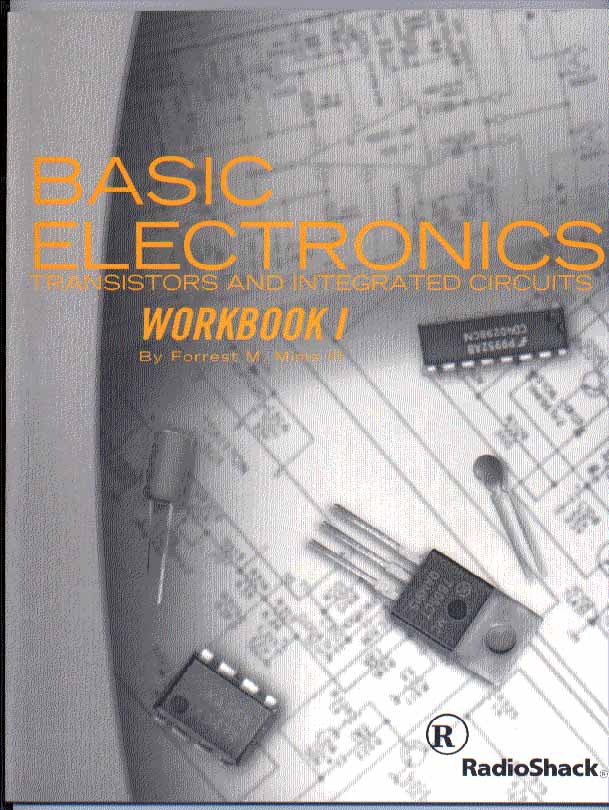
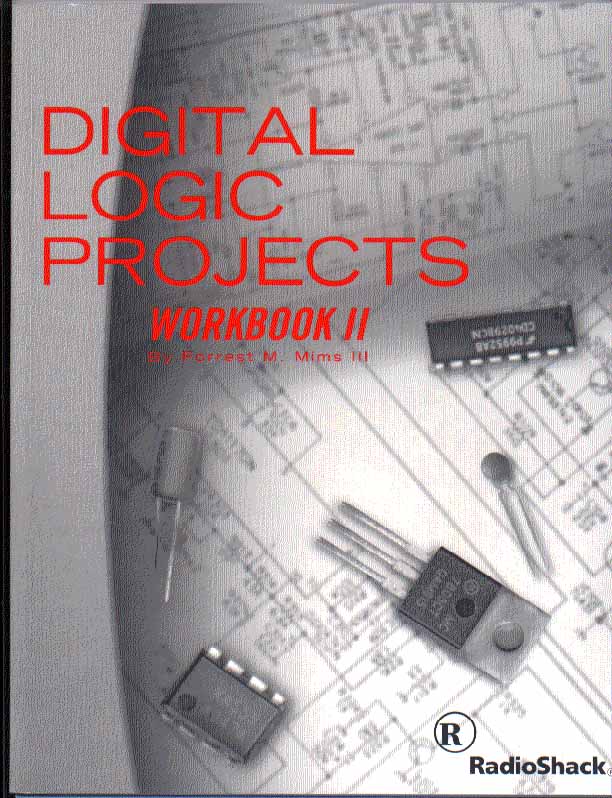
Besides the Basic Electronics workbook, there's a
second 96 page
workbook called Digital Logic Projects. This lab
is also a complete
hands-on course in digital electronics: binary
code, logic gates, the
theory and basic circuits of
a computer. That's when this kit gets really fun.
Then there's
Forrest's
unique approach. The books are hand-drawn and
hand-written, with a
step-by-step
checklist to assemble each of the 200 projects,
but also pictorial
diagrams
for each circuit, and how to translate that to a
skematic, the standard
way
to draw electronic circuits. From the first
circuit on, you can start
deviating
and experimenting, Dexter style. I wonder what
would happen if I did
this? Forrest
invites
this approach, warning you in advance what might
really blow something
out,
but then letting you have at it.
The
only
con is the same as the pro: that this is the real
thing, so
you do need to discharge the static before
handling the CMOS chips (by
touching a large metal object), and keep the chips
in their conductive
foam container (included). Forrest hits on all
these standard
precautions
and it pays to read his books closely. The box
says this lab is for
ages
ten and up, but a budding Dexter a bit younger
could probably handle it
with some assistance. A magnifying glass is
helpful to read the tiny
parts
markings, and a tweezer assists putting chips in
the breadboard.
There
is
another electronics kit called the Sensor Lab,
also by Forrest
Mims III
and costing a little less, and easily confused
with the Electronics
Learning Lab. One kit that it won't be confused
with is a really
different brainchild of the inventive designer
called Sky and Sun
Monitoring Station. It's very difficult to figure
out what this even is
without opening it, but once you do, you find out
it's the real deal.
Mind boggling as it sounds, for $30 jr. scientists
can get their hands
on real stuff and really do science. This
is a science fair in a box and includes a guide
for home schooling and
students,
along with internet satellite monitoring links.
Once again you get an
attractively
designed control console, this time to measure air
mass, water vapor,
and
different wavelengths of sun radiation (safely),
displayed on an LCD
readout.
A few extras like a compass and level, viewing
filters, and a sun angle
scale are also included. Team this up with one of
the electronic
thermometer/barometers
from Radio Shack and you've got a really good
weatherstation and
endless
fun for amateur meteorologists. Look for our
forthcoming review.
|
|
|
Above:
left:
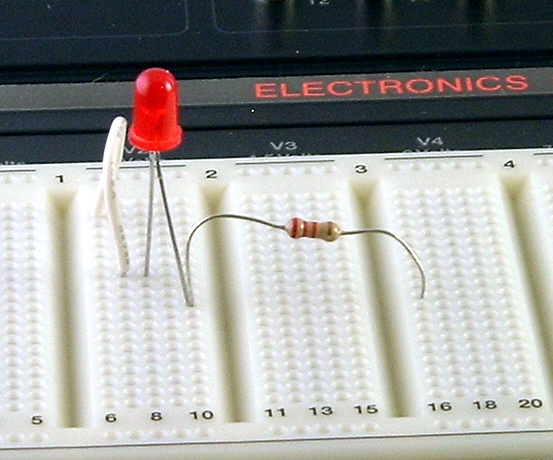
Close up of
breadboard. Unlike some electronics kits, the
breadboard construction
allows the lab to use regular, off the shelf
parts, like the resistor
and LED shown above. 75 jumper wires like the
white one above,
color-coded by length, are also included.
right:
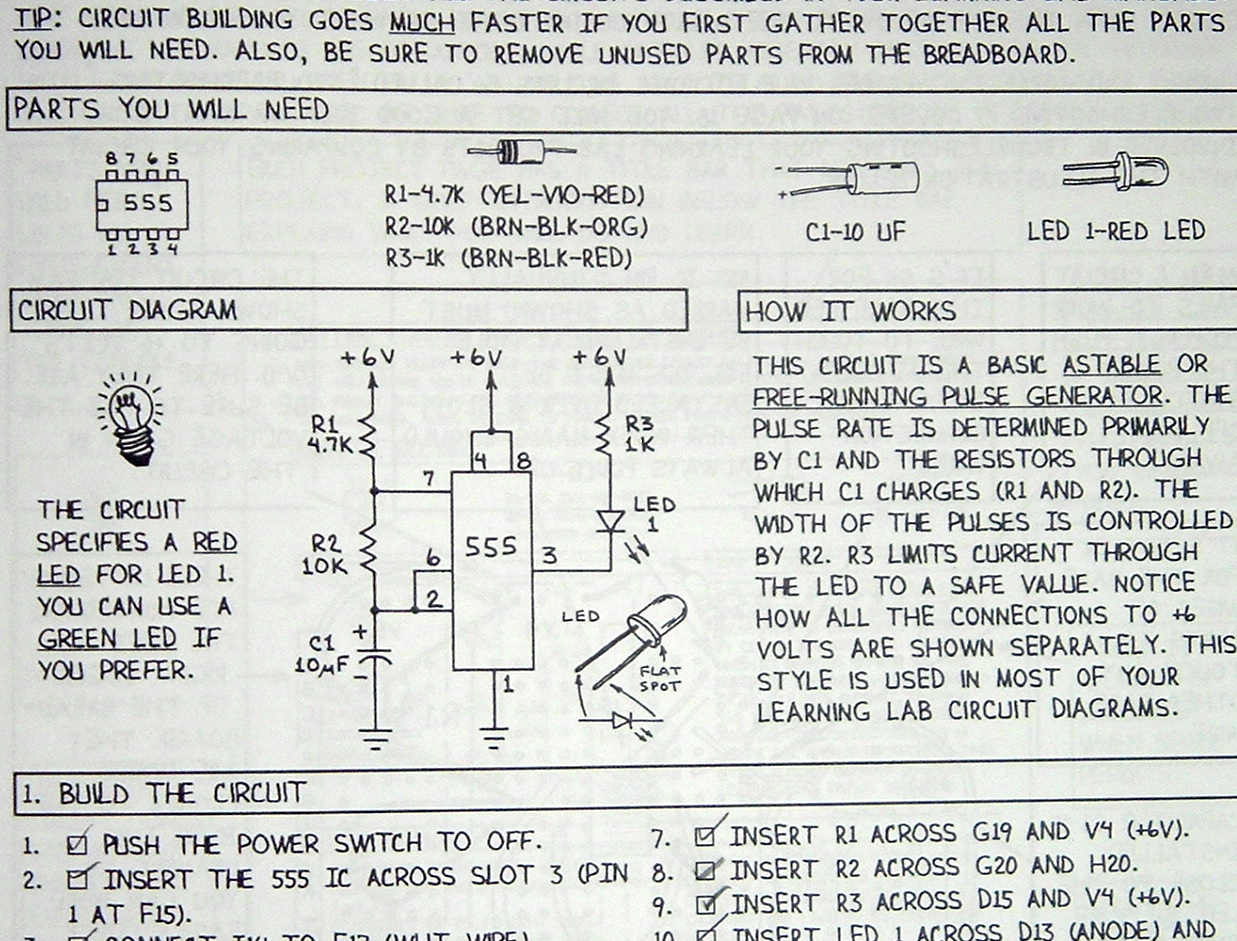
As with his
Engineers'
Notebooks series for Radio Shack, Forrest
draws every page of the lab books by hand. He also
built and tested
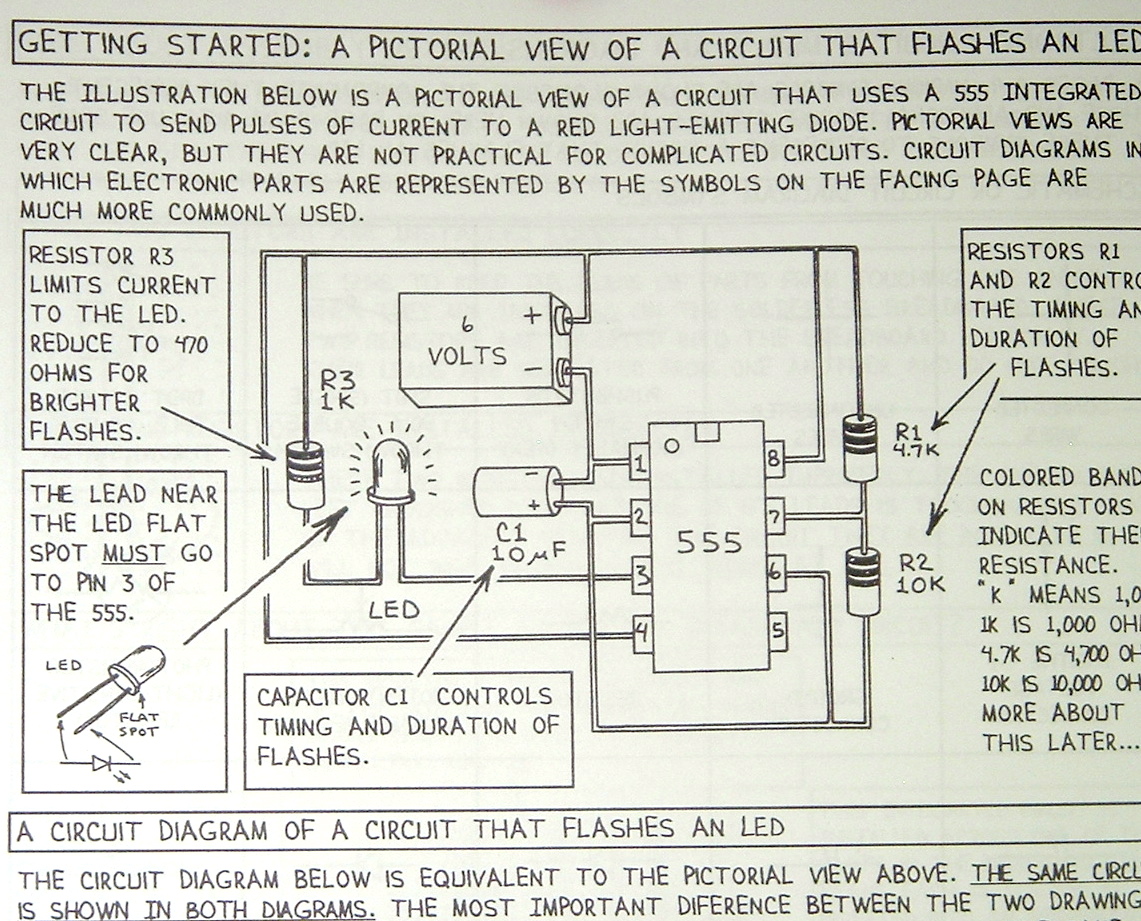
every circuit. On page 14 in the Basic Electronics
workbook, he
contrasts two ways of drawing a circuit: as a
pictorial view, or as a
circuit diagram, shown right, below.
Below:
The lab
includes two 96
page workbooks, jammed with
projects, some of which can be left built, and
adapted into the next
one. If you build every project, by the end of the
books, you'll know
electonics. The Radio Shack clerk told me that an
instructor had been
in just before me and bought five Learning Labs
for a tech school. Our
verdict of the Learning Lab: two thumbs waaaaay
up.
|
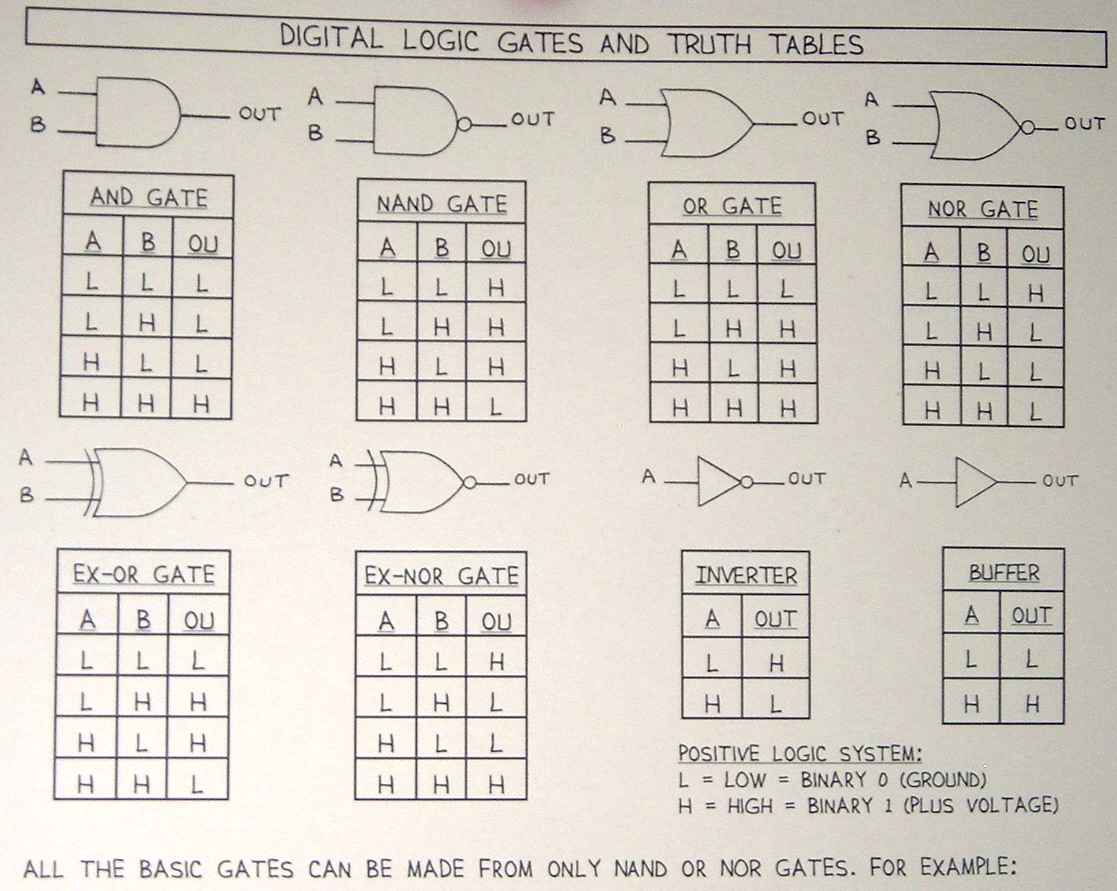
Above:
left: The
binary system
provides the basis for digital logic, as Forrest
shows in Workbook II,
Digital Logic Projects.
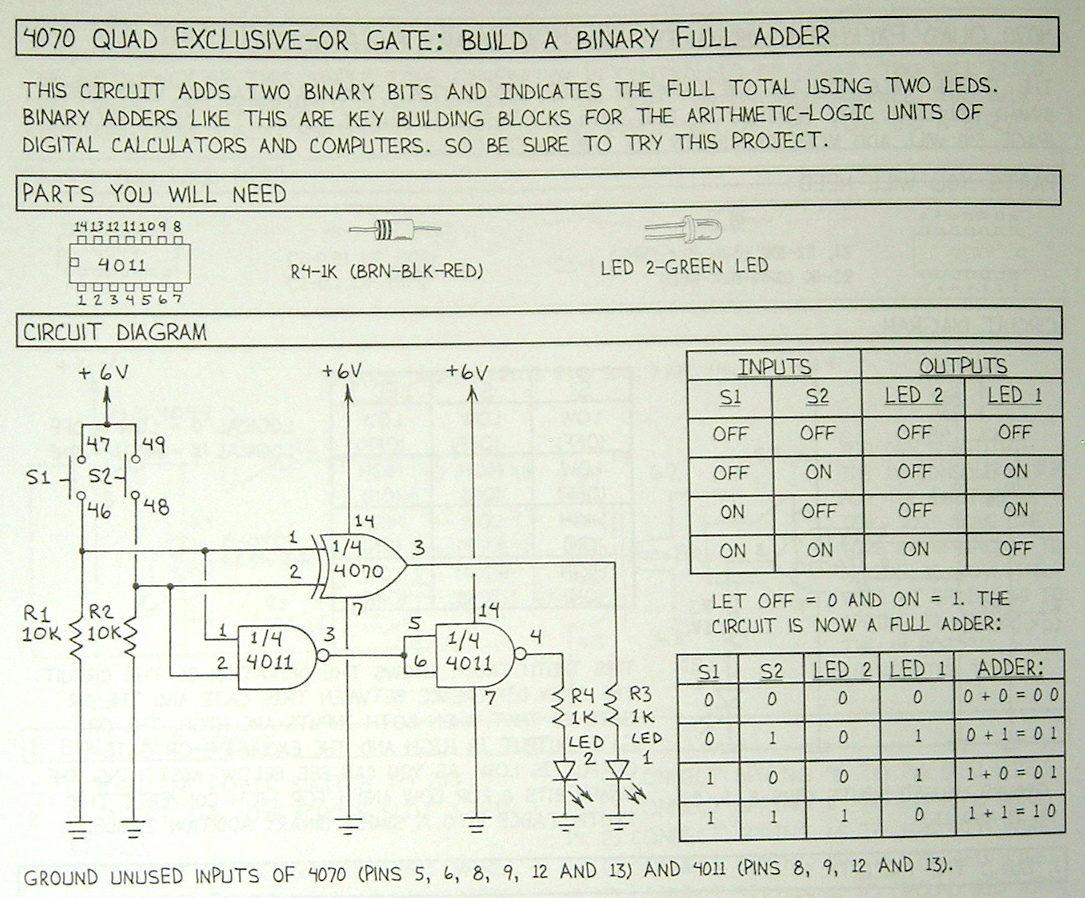
right: On
page 54, you build a binary adder, the
basis for the digital
computer.
|
|